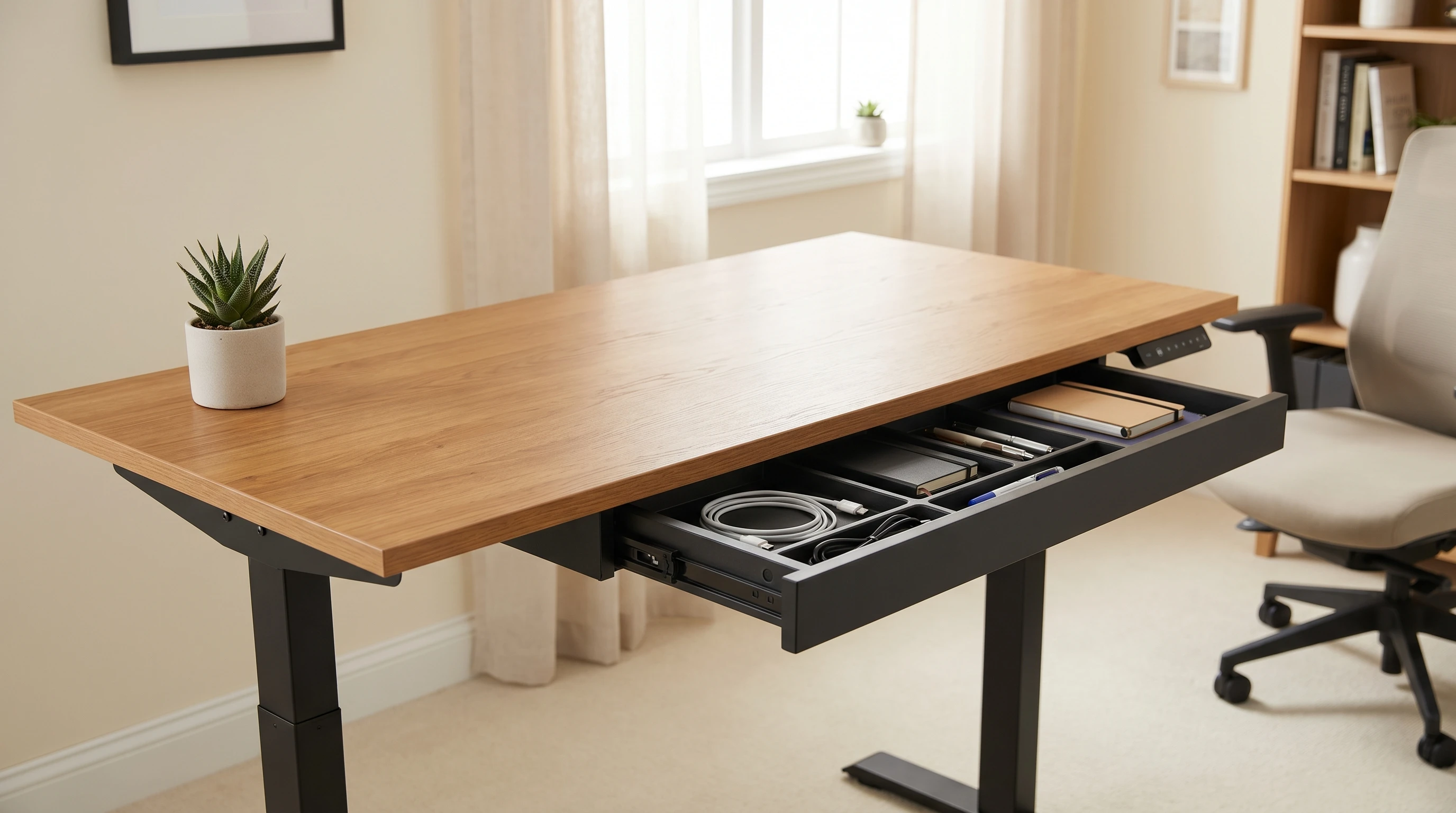
Most standing desks are flat surfaces with no storage; you’re expected to sort out shelving, drawers, and cable management separately. That’s fine for minimalists, but if you work with physical documents, notebooks, or just have more desk stuff than a single tray can handle, it’s worth looking at desks that have storage built in.
Standing desks with drawers are a niche within a niche, but there are real options. This roundup covers the best ones in 2026 and what to know before you buy.
This article contains affiliate links. If you buy through them, we may earn a small commission at no extra cost to you.
For the broader standing desk landscape without storage-specific filters, see our best standing desks under $300 roundup. For corner setups with built-in storage, see our best L-shaped standing desks guide; L-shaped models offer more natural storage configuration.
Our Top Picks at a Glance
| Desk | Price | Storage Type | Frame | Warranty |
|---|---|---|---|---|
| FlexiSpot Desk with Drawers + add-on drawer | ~$350 + $60 drawer | Under-desk drawer | Dual motor | 5 years |
| Uplift + Drawer | Check current pricing | Bamboo desk drawer confirmed; other options vary | Dual motor | 15 years |
| SHW Adjustable Desk with Drawers | ~$250 | Side storage unit | Single motor | 1 year |
| Mr. Ironstone L-Shape with Storage | ~$400 | Built-in shelves | Single motor | 1 year |
| VIVO 55” with Pull-Out Drawer | ~$280 | Pull-out keyboard/storage tray | Single motor | 1 year |
What “Storage” Actually Means on a Standing Desk
There are three distinct storage approaches with standing desks:
1. Under-desk drawer (mounts to the underside of the desktop) A drawer that attaches to the underside of the desktop surface and travels up and down with the desk. Good for small items: pens, notebooks, headphones, remote controls. Doesn’t affect desk height. The most common type.
2. Side storage cabinet (sits next to the desk on the floor) A cabinet that doesn’t attach to the desk itself; it sits on the floor beside the desk frame. These don’t move with the desk, so you’ll have a height mismatch when standing. Better for documents and larger storage. Less integrated.
3. Built-in desktop shelf or hutch A raised shelf attached to the back of the desktop surface. Good for monitors, speakers, or plants. Travels with the desk.
Most “standing desk with drawer” products are using option 1 (under-desk drawer); just make sure what you’re actually buying before ordering.
The Best Standing Desks With Drawers
FlexiSpot Desk with Drawers + Under-Desk Drawer: Best Overall
FlexiSpot’s current desk-with-drawers lineup features dual-motor frames that pair well with their under-desk drawer accessory (~$60 add-on). The drawer mounts under the desktop surface and moves with the desk, keeping your storage accessible at both sitting and standing height.
Why this combination: Buying a quality desk and adding a specific drawer is more reliable than buying a “desk with drawers” that tries to do both at a budget price point. The dual motors handle the added drawer weight without drama.
Desk Specs:
- Height range: 23.8”-49.2”
- Weight capacity: 275 lbs
- Motor: Dual
- Top size: 55”-80” options
- Warranty: 5 years
Drawer: Slides on a track under the desk, lockable, holds about 15 lbs. Large enough for a laptop, notebooks, or a headphone stand.
Check Price: FlexiSpot Desk with Drawers Check Price: Under-Desk Drawer
Uplift Desk + Storage Add-On: Best Premium Setup
Uplift includes a free bamboo desk drawer with its desks, first-party and designed to mount flush with the desktop and move with the desk at the correct tolerances. Uplift’s configurator has historically listed additional under-desk storage beyond the bamboo drawer, but we couldn’t confirm those extra options (a locking cabinet, a side cabinet) are still live on the current site, so don’t assume they’re there or that they’ve been dropped. Check Uplift’s configurator directly for what’s actually offered before ordering, especially since the lineup changed when the V3 launched as its flagship desk in early 2026.
What you can configure: the bamboo drawer is confirmed; check Uplift’s current configurator for anything beyond that.
If you’re already buying an Uplift desk, adding the bamboo drawer at checkout is generally the cleanest integration available. Whether other storage add-ons exist depends on what the current configurator actually offers.
Desk Specs:
- Height range: check current specs on Uplift’s site
- Weight capacity: check current specs
- Motor: Dual
- Warranty: 15 years
SHW Electric Standing Desk With Side Storage: Best Under $300
The SHW desk with attached side storage is a budget-tier option that bundles everything in one box. The side storage unit is floor-mounted (not desk-mounted), so it doesn’t travel with the desk when you switch heights. That’s the honest trade-off at this price.
What you get: A solid 3-tier side storage unit with drawer and open shelves that rolls up to the side of the desk. Good for documents, books, and accessories you reach for while sitting but not standing.
Desk Specs:
- Height range: 28”-45”
- Surface: 60” × 24”
- Motor: Single
- Warranty: 1 year
What to watch for: The storage doesn’t travel with the desk. When you switch to standing height, the side unit stays at sitting height. Fine for static storage; not useful for things you need at arm’s reach while standing.
Mr. Ironstone L-Shaped Desk With Shelves: Best for Corner + Storage
If you want the corner configuration with storage built into the footprint, the Mr. Ironstone L-shaped desk with built-in shelves is worth a look. The storage is a desktop hutch on the return side of the L; raises with the desk, holds books, speakers, or a secondary monitor.
Specs:
- Height range: 28.7”-48.4”
- Top: L-shaped with hutch return
- Motor: Single
- Warranty: 1 year
What we like: All-in-one price for corner desk + storage. The hutch side gives you a natural place for reference materials without adding a separate shelf unit.
What to watch for: Single motor on an L-shaped desk with hutch weight is asking for instability at full height under heavy loads. Keep monitors on the primary side. The 1-year warranty is fair warning about build quality.
VIVO Electric Desk With Pull-Out Tray: Most Practical Budget Option
VIVO makes a version of their standard electric desk with a pull-out tray across the full desk width. It’s technically a keyboard tray, but it’s wide enough to store a laptop, small accessories, or charging cables. Under $300, ships assembled, and the pull-out tray is the simplest storage addition that doesn’t compromise desk stability.
Specs:
- Height range: 29”-49”
- Surface: 55” × 24”
- Motor: Single
- Tray: Full-width pull-out under desktop
- Warranty: 1 year
Aftermarket Storage Options Worth Knowing
If you already have a standing desk or don’t want to be locked into a specific model, these aftermarket solutions work with most desks:
Under-desk drawer (universal): VIVO Universal Under-Desk Drawer (~$40). Mounts to the underside of any flat desk surface with screws. Holds about 10-15 lbs.
Under-desk storage net: Mesh net that clips to the desk frame underside. Good for headphones, chargers, and loose accessories. Zero weight on the desk surface. Around $15-20 on Amazon.
Clamp-on side shelf: Clamps to the desk edge and extends a small shelf to the side. For desktop speakers, a plant, or a phone stand. $20-35 depending on weight rating.
What Actually Matters When Buying
Does the drawer travel with the desk?
Under-desk drawers that mount to the underside of the desktop surface move with the desk. Floor-mounted storage units don’t. For real ergonomic use, you want drawers that are accessible at both sitting and standing height; they need to travel.
Weight capacity with storage loaded
A drawer with 15 lbs of contents changes the effective weight capacity of the desk. With a dual-motor desk rated at 275 lbs, that’s not a concern. With a single-motor desk rated at 150 lbs, loaded drawers + dual monitors + laptop can start to stress the frame.
Lock for sensitive items
If you want to store anything you don’t want coworkers or family accessing, confirm the drawer locks. Many budget drawers don’t have a lock; they just slide.
Our Recommendation
Best overall: FlexiSpot Desk with Drawers + under-desk drawer add-on (~$410 combined). Dual motors, 5-year warranty, and the drawer is properly integrated.
Best premium: Uplift V2 with configured drawer: cleanest integration at any price point.
Budget pick: VIVO pull-out tray desk (~$260): limited storage, but the integrated full-width tray is genuinely useful.
For related setups, once you have the desk sorted, complete your setup with the right accessories: our best monitor arms for standing desks roundup covers arms that work well with both standard and storage desks. For ergonomic setup from day one, see the standing desk ergonomics setup guide; it walks through height presets, monitor position, and the cable management steps that matter most with a moving desk.
Cable management gets more complex when you add a drawer to a standing desk; you’ll have an extra run of cables to route to the drawer (for USB hubs or charging cables stored inside) while keeping the floor-to-desk run clean. Our cable management guide for standing desks covers this whole process in one 30-minute pass.
A drawer-equipped desk can actually support a minimalist surface since storage moves off the desk into the drawer. The minimalist standing desk setup guide covers the full approach to keeping a standing desk surface clean, which pairs naturally with a built-in drawer setup.