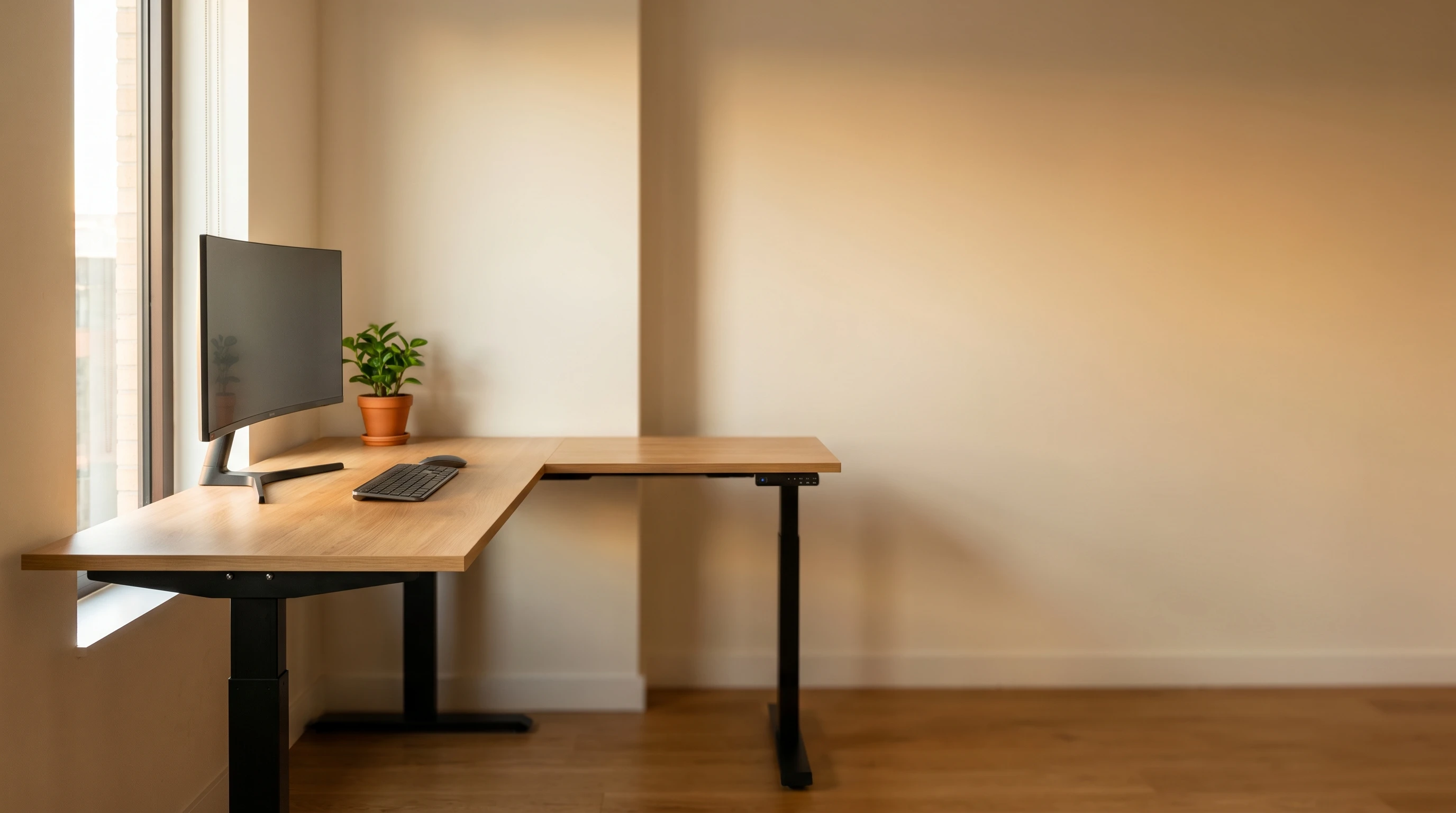
An L-shaped standing desk does something a standard rectangular desk can’t: it fits the corner of a room and gives you two distinct work surfaces without doubling your footprint. For home offices, that usually means one side for your main monitor setup and one side for reference materials, a second screen, or a webcam setup for calls.
The challenge is that L-shaped electric standing desks are expensive. Most quality options start around $400-600, and the budget end of the market is worse here than with rectangular desks. This roundup covers the best L-shaped standing desks for corner setups in 2026: the options worth the price, and what to look for before buying.
This article contains affiliate links. If you buy through them, we may earn a small commission at no extra cost to you.
Before going all-in on an L-shaped desk, make sure your corner workspace will support one. They typically need at least 60” per side wall. If you’re working with a tighter space, check out our best standing desks under $300 roundup; a standard rectangular desk may serve you better.
Our Top Picks at a Glance
| Desk | Price | Best For | Frame Type | Warranty |
|---|---|---|---|---|
| FlexiSpot E7L Lite | ~$450 | Best overall value | Single motor | 5 years |
| Uplift L-Shape | $1,799 | Premium build, most adjustable | Triple motor | 15 years |
| Autonomous Desk 2 L-Shaped | $1,149 | Best for developers | Triple motor | 10 years (frame) |
| FlexiSpot E7L | ~$550 | Best dual-motor L-shape | Dual motor | 5 years |
| FEZIBO L-Shaped | ~$350 | Budget pick | Single motor | 1 year |
The Best L-Shaped Standing Desks
FlexiSpot E7L Lite: Best Overall Value
The FlexiSpot E7L Lite hits the sweet spot of price and quality for most home office buyers. It’s not cheap (around $450), but for an L-shaped electric standing desk with real warranty coverage, that’s genuinely competitive. FlexiSpot’s build quality on their full standing desk line is consistent, and the E7L Lite benefits from that.
Specs:
- Height range: 28.7”-48.4”
- Top size: 63” × 63” corner (2-piece)
- Weight capacity: 176 lbs
- Motor: Single
- Warranty: 5 years frame
What we like: Five-year warranty at this price is rare for L-shaped desks. The 2-piece top ships in manageable boxes and clicks together on the frame without tools beyond the included hex wrench. Stable enough for dual monitors and a laptop.
What to watch for: Single motor means less lateral stability than dual-motor options when loaded at the outer edges of the L. If you’re mounting heavy monitors at the far ends, weigh that carefully. The height range starts at 28.7”, which is about 2” higher than some competitors; could matter if you’re shorter and sit low.
Uplift L-Shape: Best Premium Build
If you’re buying a desk you plan to use for 10+ years and want the best build quality in this roundup, the Uplift L-Shape is the answer. Three motors (one per leg), a 15-year warranty, and more frame adjustability than any other option here. You can configure the top size, material, and frame color at order, including which frame generation (V2, V2-Commercial, or V3) powers the desk. Uplift’s lineup shifted when the V3 launched as its flagship in early 2026, and the standalone product page this section originally linked no longer exists; the current listing, verified direct from Uplift at $1,799, is a single configurable product covering all three frame generations.
Specs (verified direct from Uplift):
- Height range: 22.6”-48.7” (base configuration; varies by frame option)
- Multiple top size configurations
- Weight capacity: 535 lbs (across both sides)
- Motor: Triple (one motor per leg, 3-leg L-shaped frame)
- Warranty: 15 years
What we like: A 15-year warranty is among the longest in the L-shaped category, and it’s backed by real customer support. Three motors across the L-shaped frame handle heavily loaded setups (dual monitors + two computers + all the gear) without any sag.
What to watch for: At $1,799 base, this is the most expensive desk in this roundup by a wide margin; confirm the current configurator total before comparing it to the other desks here. The configurator is comprehensive but can be overwhelming, and it now includes a frame-generation choice (V2 / V2-Commercial / V3) that didn’t exist as a visible option on the old standalone page.
Autonomous Desk 2 L-Shaped: Best for Developer Setups
Developer setups tend to run heavy: dual or triple monitors, laptop stand, USB hubs, speakers, reference books stacked on the corner. Update: Autonomous discontinued the SmartDesk L this section originally covered; the current L-shaped desk in their lineup is the Desk 2 L-Shaped, and it’s a genuinely different product, not just a rename. The top grew to a 77” main surface with a 35” return (up from 57”×57”), weight capacity rose to 400 lbs (from 310), it moved from two motors to three, and the price moved from ~$580 to $1,149. If you were expecting the old SmartDesk L’s price point, this is no longer it.
Specs (verified direct from Autonomous):
- Height range: 29.4”-48”
- Top size: 77” main surface × 35” return
- Weight capacity: 400 lbs
- Motor: Triple
- Warranty: 10 years (frame), 2 years (top)
What we like: Three motors and 400 lbs of capacity handle even aggressive multi-monitor setups with real margin. The larger top gives more usable surface than the old SmartDesk L did. Ships with the top pre-installed on the frame, which makes assembly much faster.
What to watch for: At $1,149, this is no longer the budget-relative-to-Uplift option the old SmartDesk L was; it’s now closer to the middle of this roundup’s price range than the bottom. Also, Autonomous’s support can be slower than FlexiSpot’s; account for that if you’re buying in a hurry.
FlexiSpot E7L: Best for Power Users
The FlexiSpot E7L is the full-featured option in FlexiSpot’s current L-shaped lineup. Dual motors and a drawer option set it apart from the entry-level E7L Lite. If you want the whole package from FlexiSpot without going to Uplift pricing, this is it.
Specs:
- Height range: 23.6”-49.2”
- Top size: 63” × 63” (standard)
- Weight capacity: 265 lbs
- Motor: Dual
- Warranty: 5 years
What we like: Dual motors provide solid stability across the full L-shaped top. Good weight capacity handles heavy dual monitor setups comfortably.
What to watch for: At ~$550, this is now well under the Autonomous Desk 2 L-Shaped’s $1,149; the two are no longer close in price the way this guide originally framed them, since Autonomous’s L-shaped desk moved substantially upmarket. Compare specs directly if you’re deciding between them.
FEZIBO L-Shaped Electric: Budget Pick
If you genuinely can’t stretch to $400+ and still want the corner configuration, FEZIBO makes an L-shaped desk that comes in around $340-380. Single motor, 1-year warranty, and the build quality is not as solid as FlexiSpot or Uplift. But it works.
Specs:
- Height range: 28.5”-46.5”
- Top size: typically 55”-63” configuration
- Weight capacity: 176 lbs
- Motor: Single
- Warranty: 1 year
What we like: Cheapest entry point for a motorized L-shaped desk that’s actually functional. Good for lighter setups (laptop, single monitor, minimal gear).
What to watch for: 1-year warranty is the honest reflection of what you’re buying; it’s a budget desk. The height range tops out at 46.5”, which limits taller users. Don’t load the outer edges heavily with a single motor; keep monitors toward the center of the frame.
What to Look for in an L-Shaped Standing Desk
Top Size and Configuration
L-shaped desks come in “symmetric” (equal-length sides) and “asymmetric” (one side longer) configurations. Most home offices do better with asymmetric: a longer primary side for your monitors and a shorter return side for secondary work.
Common sizes are 55”-63” per side. Measure your corner before ordering; include at least 6” clearance from walls on each side.
Motor Type
- Single motor: More affordable, adequate for lighter setups (under 100 lbs distributed). Can drift slightly under heavy loads at the edges.
- Dual motor: One motor per column. More stable across the full top, handles heavy multi-monitor setups. Costs $100-200 more.
For most home office setups, a single motor works. For heavy configurations (3+ monitors, PC tower mounted on the desk, standing speakers), go dual.
Height Range
The full range matters for both sitting and standing. You need:
- Minimum height: Should be close to your seated elbow height (usually 26-30” for most people)
- Maximum height: Should be close to your standing elbow height (usually 40-48” depending on your height)
If you’re over 6’2” or under 5’2”, verify the range before buying. Many L-shaped desks have narrower ranges than their rectangular equivalents.
Stability
L-shaped desks are inherently more challenging to make rigid than rectangular ones. At full standing height, an unstable L-shaped desk will wobble when you type or move. The cure is weight capacity, dual motors, and proper assembly (cross-bars tight, all bolts torqued).
Read reviews specifically for stability at full height before buying.
Our Recommendation
Best overall: FlexiSpot E7L Lite (~$450): best value for most home office users who don’t need the premium features of Uplift.
Best premium: Uplift L-Shape ($1,799): if you’re keeping this desk for a decade and want zero compromises, spend the money here. The 15-year warranty, longest in this roundup, is a real part of that case.
Budget pick: FEZIBO L-Shape (~$350): if $450 is too much, this works for lighter setups. Know what you’re buying.
For the full standing desk landscape, see our best standing desks under $300 and best standing desks under $500 roundups. Once your desk is set up, see our standing desk ergonomics guide for height settings, monitor placement, and the cable management steps that matter most with a moving L-shaped frame.
L-shaped setups typically run dual monitors, so our best monitor arms for standing desks is worth a look; the HUANUO dual arm at ~$45 is the right budget pick for most corner setups.
L-shaped desks also generate more cable complexity than rectangular ones (two sides of the frame, longer cable runs, and sometimes two separate monitor cable paths). Our cable management guide for standing desks covers exactly this scenario and takes about 30 minutes to implement properly.
For the broader posture and positioning picture once your L-shaped desk is in place (chair height, monitor distance, movement schedule), see the work from home ergonomics guide.
L-shaped desks have more surface area, which means more room for things that belong somewhere else. The minimalist standing desk setup guide is useful after the desk is assembled: it covers which gear earns a permanent spot on the surface and the habits that prevent corner setups from turning into cluttered storage zones.