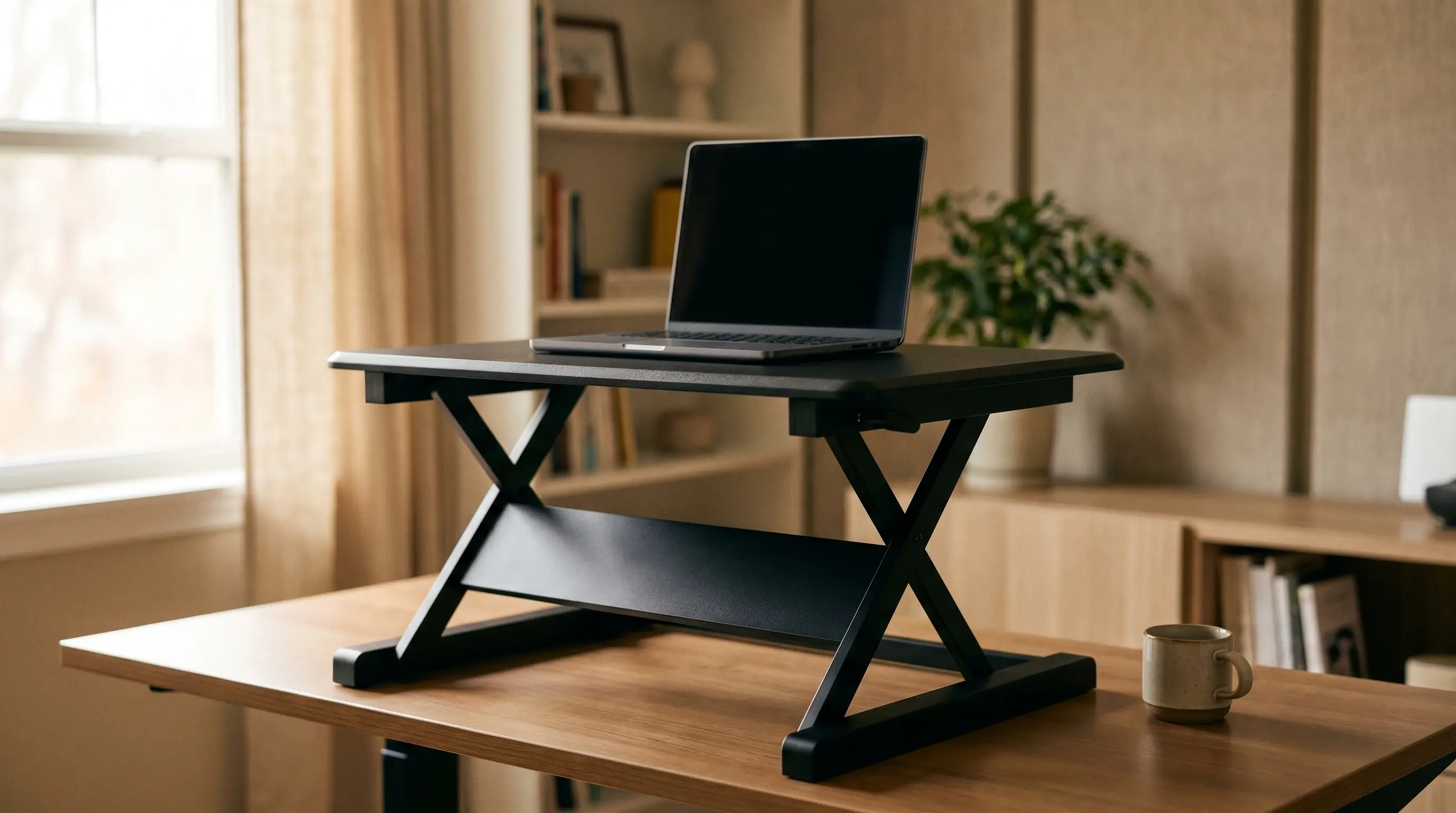
A standing desk converter is the fastest way to go from sitting all day to having a sit-stand option; no new desk required. You put it on top of whatever desk you already own, raise it when you want to stand, lower it when you want to sit. Done.
The catch is that most converters fall into two camps: cheap and wobbly, or solid but expensive. Under $150 is tight for a good converter, but there are a few that actually work. This roundup covers the best standing desk converters under $150 in 2026.
This article contains affiliate links. If you buy through them, we may earn a small commission at no extra cost to you.
If you’re considering skipping the converter and getting a full sit-stand desk instead, check out our best standing desks under $300 roundup; the gap in price has narrowed more than most people realize.
Our Top Picks at a Glance
| Converter | Price | Type | Height Range | Surface |
|---|---|---|---|---|
| VIVO 36” Dual Level | ~$90 | X-lift | 6”-16” | 36” × 22” upper / 36” × 10” keyboard |
| FlexiSpot M2B | ~$140 | X-lift | 5”-20” | 35” × 23.2” |
| Mount-It! MI-7920 | ~$120 | X-lift | 6.5”-16.5” | 35.4” × 21.5” |
| HUANUO Sit-Stand Converter | ~$80 | Z-lift | 5”-17” | 31.5” × 15.7” |
| Stand Steady X-Elite Pro | ~$99 | X-lift | 7”-17” | 35” × 23” |
The Best Standing Desk Converters Under $150
VIVO 36” Dual-Level Converter: Best Overall Under $100
The VIVO 36” is the converter I’d recommend to most people in this price range. The dual-level design (a wider upper surface for your monitor and a lower keyboard tray) is the right way to use a converter ergonomically. Your keyboard stays at elbow height, your screen stays at eye level. Single-surface converters force you to compromise one or the other.
Specs:
- Height range: 6”-16” above desk surface
- Upper surface: 36” × 22”
- Keyboard tray: 36” × 10”
- Weight capacity: 33 lbs
What we like: The dual-level design keeps your wrists neutral at keyboard height without lowering your monitor. Lift action is smooth for the price. Gas spring assist makes raising and lowering feel effortless once you dial in the tension.
What to watch for: At 33 lbs capacity, you’re fine with a single monitor setup. Two monitors will stress the frame. Also, the gas spring tension is set at the factory; if you run heavy dual monitors you may find it too light.
FlexiSpot M2B: Best Build Quality Under $150
FlexiSpot makes full standing desks too, and their quality control carries over to their converters. The M2B sits at the top of the under-$150 range but earns it with a noticeably more solid frame and a better gas spring mechanism than most competitors.
Specs:
- Height range: 5”-20”
- Surface: 35” × 23.2” (single level with integrated keyboard tray)
- Weight capacity: 33 lbs
What we like: The 20” max height range is one of the better specs in this category; useful if you’re tall (6’1”+). The keypad area is recessed enough that it doesn’t feel tacked on. Gas spring holds position well with no drift.
What to watch for: Single-level surface means you’ll need to position your monitor carefully to keep it at eye level. Consider a monitor riser on top of the converter if you have a shorter monitor.
Mount-It! MI-7920: Best for Wide Monitors
If you run a 27”-32” ultrawide or just want more horizontal workspace while standing, the Mount-It! 35” converter gives you the surface area without the premium price of going full standing desk.
Specs:
- Height range: 6.5”-16.5”
- Surface: 35.4” × 21.5”
- Weight capacity: 33 lbs
What we like: Stable enough for a 32” monitor. The surface is solid with minimal flex under load. Ships mostly assembled; about 15 minutes to set up.
What to watch for: The height range tops out at 16.5” above desk level, which may not be enough if you’re using it on a lower desk and you’re tall. Measure before buying: desk height + converter max + monitor height should equal standing eye level.
HUANUO Sit-Stand Converter: Best Budget Option Under $100
If you want to try standing without spending much, the HUANUO converter is the honest budget pick. Smaller surface than the VIVO, simpler mechanism, but it works and it’s stable enough for a single monitor.
Specs:
- Height range: 5”-17”
- Surface: 31.5” × 15.7”
- Weight capacity: 22 lbs
What we like: Simple Z-lift mechanism is actually more stable at full extension than some X-lift designs at this price point. Very lightweight (around 14 lbs). Ships ready to use.
What to watch for: The 31.5” width is the limiting factor. If you use a monitor wider than 27”, you’ll feel cramped. Best for laptops or compact single monitor setups.
Stand Steady X-Elite Pro: Best for Standing Meetings
The X-Elite Pro is popular enough with remote workers that it keeps selling despite being a little heavier than competitors. The selling point is a wider base that makes it feel more planted on a desk surface; useful if you move around while standing or gesture a lot on calls.
Specs:
- Height range: 7”-17”
- Surface: 35” × 23”
- Weight capacity: 35 lbs
What we like: The base plate is wider than most converters, which reduces rocking on cheaper desk surfaces. Quiet lift action. Comes in several color options.
What to watch for: Minimum height of 7” above desk is a little high; if your desk is already at a good sitting height, you’ll need to adjust your chair down slightly when the converter is in sitting position.
Converter vs. Full Standing Desk: What Should You Buy?
This is the real question. Here’s my honest take:
Get a converter if:
- You already have a desk you like and don’t want to replace it
- You’re in a rental or can’t modify your workspace
- You want to try standing before committing to a full desk
- Your budget is genuinely under $150
Get a full standing desk if:
- Your total budget is $200 or more (you can get a decent desk like the FlexiSpot E1 in that range)
- You want a cleaner aesthetic; converters on top of desks look a bit stacked
- You need a wider workspace; most converters max out around 35-36”
If you’re on the fence, the full desk wins for most people. The price gap has narrowed to the point where a converter is mostly a compromise, not a savings.
What to Look for in a Standing Desk Converter
Height Range
The converter’s max height + your desk height needs to equal your standing eye level (or very close to it). Before buying, measure: desk height + converter max height, then check against a standing desk height calculator.
Most converters add 15-20” above the desk surface. That works fine on a standard 29-30” desk for people up to about 6’. If you’re taller, look specifically for models with 20”+ range.
Dual Level vs. Single Level
Dual-level converters have a separate surface for the keyboard that sits lower than the monitor surface. This is the ergonomically correct design: your keyboard should be at or slightly below elbow height, your monitor at eye level. With a single-level converter, you’re compromising one or the other.
If you’re serious about ergonomics, spend the extra $20-30 for a dual-level model.
Gas Spring Quality
The lift mechanism matters more than most people realize. A cheap spring will drift; you raise the converter, it slowly sinks. A good one holds position. You can’t always tell from a product listing, but reading reviews specifically for “drift” or “won’t stay up” is worth the five minutes.
Weight Capacity
Most budget converters are rated for 22-35 lbs. A single 27” monitor + laptop runs around 15-20 lbs. Two monitors pushes you to 25-30 lbs or more. Confirm before buying.
Our Recommendation
For most people: VIVO 36” Dual-Level (~$90). Dual-level design, decent build quality, gas spring assist, and room for a single monitor without drama.
If you want the best build quality in the category for under $150: FlexiSpot M2B. Noticeably better frame and spring mechanism, worth the price difference over the VIVO if you use it for 4+ hours per day.
Budget pick: HUANUO if you’re just experimenting and want to spend as little as possible.
For more ways to improve your standing setup, check out our guide on how to set up your standing desk for proper ergonomics and the best anti-fatigue mats for standing desks.
When you’re ready to upgrade to a full standing desk, our best standing desks under $300 roundup covers the top options; the price gap between a converter and a real desk has narrowed considerably. If space is the constraint, our compact standing desks guide covers desks starting at 40” wide. Not sure which direction is right for your situation? The standing desk vs. desk converter guide covers the cost, ergonomic, and use-case differences in detail so you can make the right call before spending money.